
KNX topology: backbone, line, and area without confusion
By Mohamed Ali, Founder
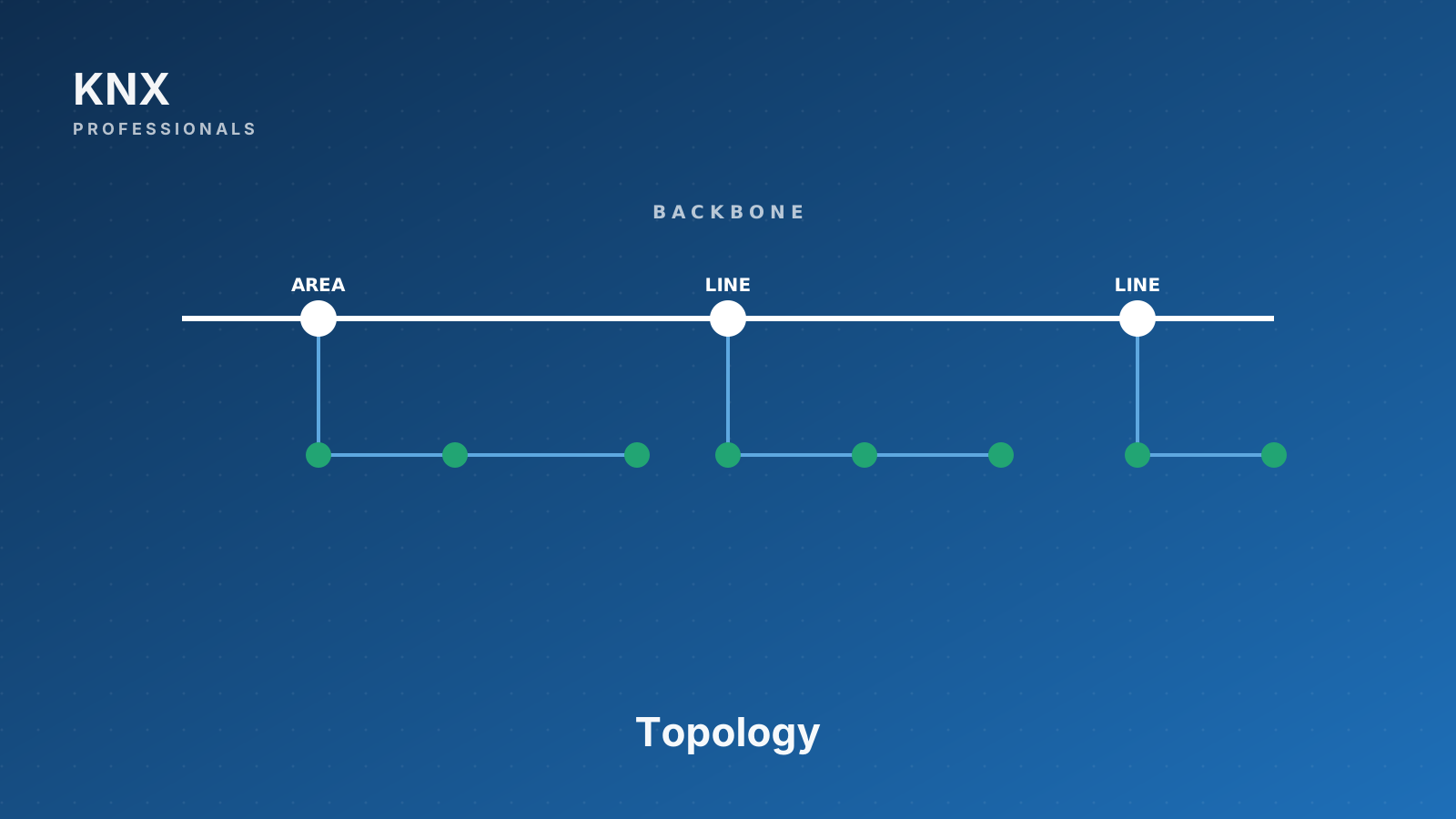
KNX organizes devices in a three-level tree. At the bottom is the line: up to 64 devices on a single physical bus segment, sharing one power supply. Add a line repeater and a line can extend to 256 devices, but most engineers stop at 64 to keep the bus responsive.
Multiple lines connect to an area through a line coupler at each line. An area can have up to 15 lines plus a main line, for around 960 devices. Line couplers do two important jobs: they isolate the bus traffic of one line from another (so a chatty device on line 1 does not slow down line 5), and they provide a routing point with a filter table.
Areas connect to the backbone through area couplers. A backbone can hold 15 areas. Multiply through and the theoretical maximum project size is 64,000+ devices, which is far more than any real project ever reaches.
In modern projects, the backbone is rarely twisted pair anymore. KNXnet/IP routers replace the old TP backbone, with each router serving as the IP gateway for one area or one line. This has two benefits: backbone cabling becomes the existing network LAN, and remote diagnostics become straightforward via the same network.
Filter tables are the engineer's friend. A coupler with empty filter tables forwards every telegram to every neighbor, which scales badly. ETS6 generates filter tables automatically from the project's group address topology; reload couplers after every meaningful change so traffic stays clean.
A design rule of thumb. Plan one line per major function and floor. For example, one line for floor 1 lighting, another for floor 1 blinds, another for floor 1 HVAC, repeat per floor. This gives you traffic isolation, easy diagnostics, and a logical structure that future engineers can follow.